 |
Barcode.jar ver 5.0.0
Java 開発者向け バーコード作成ライブラリ(SVG出力・Base64出力対応)
|
読み取り中…
検索中…
一致する文字列を見つけられません
|
Barcode.jar ver 5.0.0
Java 開発者向け バーコード作成ライブラリ(SVG出力・Base64出力対応)
|
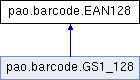
公開メンバ関数 | |
| EAN128 () | |
| EAN128 (Graphics2D g) | |
| EAN128 (String filePath) | |
| EAN128 (String imgFormat, boolean useStream) | |
| void | SetGraphics (Graphics2D g) |
| void | setTextWrite (boolean value) |
| boolean | getTextWrite () |
| void | setTextKintou (boolean value) |
| boolean | getTextKintou () |
| boolean | getTextEvenSpacing () |
| void | setTextEvenSpacing (boolean value) |
| void | setTextFont (Font value) |
| Font | getTextFont () |
| void | setRotateAngle (float value) |
| float | getRotateAngle () |
| int | getKuroBarChousei () |
| void | setKuroBarChousei (int value) |
| int | getBlackBarAdjusterByDot () |
| void | setBlackBarAdjusterByDot (int value) |
| int | getShiroBarChousei () |
| void | setShiroBarChousei (int value) |
| int | getWhiteBarAdjusterByDot () |
| void | setWhiteBarAdjusterByDot (int value) |
| int | getDPI () |
| void | setDPI (int dpi) |
| int | getImgMargin () |
| void | setImgMargin (int value) |
| ByteArrayOutputStream | getImageStream () |
| void | setImageStream (ByteArrayOutputStream value) |
| String | getImageBase64 () |
| String | getImageFormat () |
| void | setImageFormat (String value) |
| Color | getForeColor () |
| void | setForeColor (Color value) |
| Color | getBackColor () |
| void | setBackColor (Color value) |
| boolean | getDispStartStopCode () |
| void | setDispStartStopCode (boolean value) |
| CodeSet128 | getCodeABC () |
| void | setCodeABC (CodeSet128 _codeABC) |
| void | draw (String code) |
| void | draw (String code, float x, float y, float width, float height) |
| void | draw (String code, float x, float y, float width, float height, String filePath) |
| void | draw (String code, float x, float y, float width, float height, GraphicsUnit gu, int dpi) |
| void | draw (String code, float x, float y, float width, float height, GraphicsUnit gu, int dpi, boolean roundDecimalPoint) |
| void | drawDelicate (String code, float x, float y, float minLineWidth, float height) |
| void | drawDelicate (String code, float x, float y, float minLineWidth, float height, String filePath) |
| void | drawDirect (String code, float x, float y, float width, float height) |
| void | drawDirect (String code, float x, float y, float width, float height, String filePath) |
| void | drawDirect (String code, float x, float y, float width, float height, GraphicsUnit gu, int dpi, boolean roundDecimalPoint) |
| void | drawDirect (String code, float x, float y, float width, float height, GraphicsUnit gu, int dpi) |
| void | drawConvenienceDelicate (String code, float x, float y, float minLineWidth, float height) |
| void | drawConvenience (String code, float x, float y, float width, float height, GraphicsUnit gu, int dpi, boolean roundDecimalPoint) |
| void | drawConvenienceDirect (String code, float x, float y, float width, float height, GraphicsUnit gu, int dpi, boolean roundDecimalPoint) |
| void | pDrawConvenienceDelicate (String code, float mmX, float mmY, float mmHeight) |
| float | getDrawDirectWidth (String code, float width) |
| float | getDrawDelicateWidth (String code, float minLineWidth) |
| float | getDrawConvenienceDelicateWidth (String code, float minLineWidth) |
| String | writeSVGToString (String code, float x, float y, float width, float height) |
| String | writeSVGConvenienceToString (String code, float x, float y, float width, float height) |
EAN128バーコードを生成するためのバーコードライブラリクラス
| pao.barcode.EAN128.EAN128 | ( | ) |
EAN128のインスタンスを作成します。 画像形式はデフォルトでPNGが設定されます。
このコンストラクタは以下の用途で使用できます:
Graphics2Dやファイルパスを指定せずに、シンプルにバーコードを生成できます。
| pao.barcode.EAN128.EAN128 | ( | Graphics2D | g | ) |
EAN128のインスタンスを作成します
| g | バーコードを描画するGraphicsオブジェクト |
| pao.barcode.EAN128.EAN128 | ( | String | filePath | ) |
EAN128のインスタンスを作成します
| filePath | 出力画像ファイルパス |
| pao.barcode.EAN128.EAN128 | ( | String | imgFormat, |
| boolean | useStream ) |
EAN128のインスタンスを作成します(メモリストリーム出力用)。
このコンストラクタは、ファイルに保存せずにメモリ上で画像データを取得したい場合に使用します。 生成後、以下のメソッドで画像データを取得できます:
| imgFormat | 出力画像フォーマット("png", "jpeg", "bmp"など)。 nullや空文字、または無効な形式が指定された場合は"png"が使用されます。 |
| useStream | ストリーム出力を使用する場合はtrue。 falseの場合はストリーム機能は無効となり、getImageBase64等は空を返します。 |
| void pao.barcode.EAN128.draw | ( | String | code | ) |
| void pao.barcode.EAN128.draw | ( | String | code, |
| float | x, | ||
| float | y, | ||
| float | width, | ||
| float | height ) |
バーコードを描画します
| code | バーコードとして生成するテキスト |
| x | バーコードのX座標 |
| y | バーコードのY座標 |
| width | バーコードの幅 |
| height | バーコードの高さ |
pao.barcode.IBarCodeを実装しています。
| void pao.barcode.EAN128.draw | ( | String | code, |
| float | x, | ||
| float | y, | ||
| float | width, | ||
| float | height, | ||
| GraphicsUnit | gu, | ||
| int | dpi ) |
バーコードを描画します
| code | バーコードとして生成するテキスト |
| x | バーコードのX座標 |
| y | バーコードのY座標 |
| width | バーコードの幅 |
| height | バーコードの高さ |
| gu | 座標単位(mm、Inch、Point、Pixel) |
| dpi | 出力デバイスのDPI |
pao.barcode.IBarCodeを実装しています。
| void pao.barcode.EAN128.draw | ( | String | code, |
| float | x, | ||
| float | y, | ||
| float | width, | ||
| float | height, | ||
| GraphicsUnit | gu, | ||
| int | dpi, | ||
| boolean | roundDecimalPoint ) |
バーコードを描画します
| code | バーコードとして生成するテキスト |
| x | バーコードのX座標 |
| y | バーコードのY座標 |
| width | バーコードの幅 |
| height | バーコードの高さ |
| gu | 座標単位(mm、Inch、Point、Pixel) |
| dpi | 出力デバイスのDPI |
| roundDecimalPoint | 小数点を丸めるかどうか |
| void pao.barcode.EAN128.draw | ( | String | code, |
| float | x, | ||
| float | y, | ||
| float | width, | ||
| float | height, | ||
| String | filePath ) |
バーコードを描画します
| code | バーコードとして生成するテキスト |
| x | バーコードのX座標 |
| y | バーコードのY座標 |
| width | バーコードの幅 |
| height | バーコードの高さ |
| filePath | 出力画像ファイルパス |
| void pao.barcode.EAN128.drawConvenience | ( | String | code, |
| float | x, | ||
| float | y, | ||
| float | width, | ||
| float | height, | ||
| GraphicsUnit | gu, | ||
| int | dpi, | ||
| boolean | roundDecimalPoint ) |
Probably only use at convenience stores in Japan. draw 1 point line
| code | Text to be generated as barcode |
| x | Position of barcode (X axis) |
| y | Position of barcode (Y axis) |
| width | Width of barcode |
| height | Height of barcode |
| gu | Graphics Unit (mm, Inch, Point, Pixel) |
| dpi | Output Device dpi |
| roundDecimal | Rounding a decimal point |
| void pao.barcode.EAN128.drawConvenienceDelicate | ( | String | code, |
| float | x, | ||
| float | y, | ||
| float | minLineWidth, | ||
| float | height ) |
Probably only use at convenience stores in Japan. draw 1 point line
| code | Text to be generated as barcode |
| x | Position of barcode (X axis) |
| y | Position of barcode (Y axis) |
| minLineWidth | Minimum line width(dot) of barcode |
| height | Height of barcode |
| void pao.barcode.EAN128.drawConvenienceDirect | ( | String | code, |
| float | x, | ||
| float | y, | ||
| float | width, | ||
| float | height, | ||
| GraphicsUnit | gu, | ||
| int | dpi, | ||
| boolean | roundDecimalPoint ) |
Probably only use at convenience stores in Japan. draw 1 point line
| code | Text to be generated as barcode |
| x | Position of barcode (X axis) |
| y | Position of barcode (Y axis) |
| width | Width of barcode |
| height | Height of barcode |
| gu | Graphics Unit (mm, Inch, Point, Pixel) |
| dpi | Output Device dpi |
| roundDecimal | Rounding a decimal point |
| void pao.barcode.EAN128.drawDelicate | ( | String | code, |
| float | x, | ||
| float | y, | ||
| float | minLineWidth, | ||
| float | height ) |
最小線幅を指定してバーコードを描画します
| code | バーコードとして生成するテキスト |
| x | バーコードのX座標 |
| y | バーコードのY座標 |
| minLineWidth | バーコードの最小線幅 |
| height | バーコードの高さ |
pao.barcode.IBarCodeを実装しています。
| void pao.barcode.EAN128.drawDelicate | ( | String | code, |
| float | x, | ||
| float | y, | ||
| float | minLineWidth, | ||
| float | height, | ||
| String | filePath ) |
最小線幅を指定してバーコードを描画します
| code | バーコードとして生成するテキスト |
| x | バーコードのX座標 |
| y | バーコードのY座標 |
| minLineWidth | バーコードの最小線幅 |
| height | バーコードの高さ |
| filePath | 出力画像ファイルパス |
| void pao.barcode.EAN128.drawDirect | ( | String | code, |
| float | x, | ||
| float | y, | ||
| float | width, | ||
| float | height ) |
ピクセル単位で直接バーコードを描画します Drawメソッドより精度と速度が優れていますが、幅を固定することはできません。
| code | バーコードとして生成するテキスト |
| x | バーコードのX座標 |
| y | バーコードのY座標 |
| width | バーコードの幅 |
| height | バーコードの高さ |
pao.barcode.IBarCodeを実装しています。
| void pao.barcode.EAN128.drawDirect | ( | String | code, |
| float | x, | ||
| float | y, | ||
| float | width, | ||
| float | height, | ||
| GraphicsUnit | gu, | ||
| int | dpi ) |
ピクセル単位で直接バーコードを描画します Drawメソッドより精度と速度が優れていますが、幅を固定することはできません。
| code | バーコードとして生成するテキスト |
| x | バーコードのX座標 |
| y | バーコードのY座標 |
| width | バーコードの幅 |
| height | バーコードの高さ |
| gu | 座標単位(mm、Inch、Point、Pixel) |
| dpi | 出力デバイスのDPI |
pao.barcode.IBarCodeを実装しています。
| void pao.barcode.EAN128.drawDirect | ( | String | code, |
| float | x, | ||
| float | y, | ||
| float | width, | ||
| float | height, | ||
| GraphicsUnit | gu, | ||
| int | dpi, | ||
| boolean | roundDecimalPoint ) |
ピクセル単位で直接バーコードを描画します Drawメソッドより精度と速度が優れていますが、幅を固定することはできません。
| code | バーコードとして生成するテキスト |
| x | バーコードのX座標 |
| y | バーコードのY座標 |
| width | バーコードの幅 |
| height | バーコードの高さ |
| gu | 座標単位(mm、Inch、Point、Pixel) |
| dpi | 出力デバイスのDPI |
| roundDecimalPoint | 小数点を丸めるかどうか |
pao.barcode.IBarCodeを実装しています。
| void pao.barcode.EAN128.drawDirect | ( | String | code, |
| float | x, | ||
| float | y, | ||
| float | width, | ||
| float | height, | ||
| String | filePath ) |
ピクセル単位で直接バーコードを描画します Drawメソッドより精度と速度が優れていますが、幅を固定することはできません。
| code | バーコードとして生成するテキスト |
| x | バーコードのX座標 |
| y | バーコードのY座標 |
| width | バーコードの幅 |
| height | バーコードの高さ |
| filePath | 出力画像ファイルパス |
| Color pao.barcode.EAN128.getBackColor | ( | ) |
| int pao.barcode.EAN128.getBlackBarAdjusterByDot | ( | ) |
| CodeSet128 pao.barcode.EAN128.getCodeABC | ( | ) |
CODE128のCODE-SET(AUTO、A、B、C)を取得します
| boolean pao.barcode.EAN128.getDispStartStopCode | ( | ) |
| int pao.barcode.EAN128.getDPI | ( | ) |
| float pao.barcode.EAN128.getDrawDelicateWidth | ( | String | code, |
| float | minLineWidth ) |
DrawDelicate時のバーコード幅を取得します
| code | バーコードとして生成するテキスト |
| minLineWidth | バーコードの最小線幅 |
pao.barcode.IBarCodeを実装しています。
| float pao.barcode.EAN128.getDrawDirectWidth | ( | String | code, |
| float | width ) |
| point |
| code | バーコードとして生成するテキスト |
| width | バーコードの幅 |
pao.barcode.IBarCodeを実装しています。
| Color pao.barcode.EAN128.getForeColor | ( | ) |
| String pao.barcode.EAN128.getImageBase64 | ( | ) |
| String pao.barcode.EAN128.getImageFormat | ( | ) |
画像フォーマットを取得します。
| ByteArrayOutputStream pao.barcode.EAN128.getImageStream | ( | ) |
画像ストリームを取得します。
| int pao.barcode.EAN128.getImgMargin | ( | ) |
| int pao.barcode.EAN128.getKuroBarChousei | ( | ) |
| float pao.barcode.EAN128.getRotateAngle | ( | ) |
| int pao.barcode.EAN128.getShiroBarChousei | ( | ) |
白バーの微調整ドット数を取得します
| boolean pao.barcode.EAN128.getTextEvenSpacing | ( | ) |
テキスト均等配置設定を取得します(getTextKintouのエイリアス)
pao.barcode.IBarCodeを実装しています。
| Font pao.barcode.EAN128.getTextFont | ( | ) |
| boolean pao.barcode.EAN128.getTextKintou | ( | ) |
| boolean pao.barcode.EAN128.getTextWrite | ( | ) |
| int pao.barcode.EAN128.getWhiteBarAdjusterByDot | ( | ) |
白バーの微調整ドット数を取得します(getShiroBarChouseiのエイリアス)
| void pao.barcode.EAN128.pDrawConvenienceDelicate | ( | String | code, |
| float | mmX, | ||
| float | mmY, | ||
| float | mmHeight ) |
Probably only use at convenience stores in Japan.
| code | Text to be generated as barcode |
| mmX | Position of barcode (X axis) |
| mmY | Position of barcode (Y axis) |
| mmHeight | Height of barcode |
| void pao.barcode.EAN128.setBackColor | ( | Color | value | ) |
背景色を設定します。 画像データ保存時のみ有効です。直接描画する場合、背景色は透明になります。 nullを指定すると透明になります。
| value | 背景色 |
pao.barcode.IBarCodeを実装しています。
| void pao.barcode.EAN128.setBlackBarAdjusterByDot | ( | int | value | ) |
| void pao.barcode.EAN128.setCodeABC | ( | CodeSet128 | _codeABC | ) |
CODE128のCODE-SET(AUTO、A、B、C)を設定します
| _codeABC | CODE-SET(AUTO、A、B、C) |
| void pao.barcode.EAN128.setDispStartStopCode | ( | boolean | value | ) |
スタート・ストップコードを表示するかどうかを設定します
| value | スタート・ストップコードを表示する場合はtrue、それ以外はfalse |
pao.barcode.IBarCodeを実装しています。
| void pao.barcode.EAN128.setDPI | ( | int | dpi | ) |
| void pao.barcode.EAN128.setForeColor | ( | Color | value | ) |
| void pao.barcode.EAN128.SetGraphics | ( | Graphics2D | g | ) |
set graphics
| g | Graphics where the barcode |
| void pao.barcode.EAN128.setImageFormat | ( | String | value | ) |
画像フォーマットを設定します。
| value | 画像フォーマット ("png", "jpeg", "bmp"など) |
| void pao.barcode.EAN128.setImageStream | ( | ByteArrayOutputStream | value | ) |
画像ストリームを設定します。
| value | 画像ストリーム |
| void pao.barcode.EAN128.setImgMargin | ( | int | value | ) |
| void pao.barcode.EAN128.setKuroBarChousei | ( | int | value | ) |
| void pao.barcode.EAN128.setRotateAngle | ( | float | value | ) |
| void pao.barcode.EAN128.setShiroBarChousei | ( | int | value | ) |
白バーの微調整ドット数を設定します
| value | 白バーの微調整ドット数 |
| void pao.barcode.EAN128.setTextEvenSpacing | ( | boolean | value | ) |
テキスト均等配置設定を設定します(setTextKintouのエイリアス)
| value | true: バーコード全体の幅に均等配置、false: 対応するバーの下に配置 |
pao.barcode.IBarCodeを実装しています。
| void pao.barcode.EAN128.setTextFont | ( | Font | value | ) |
| void pao.barcode.EAN128.setTextKintou | ( | boolean | value | ) |
| void pao.barcode.EAN128.setTextWrite | ( | boolean | value | ) |
| void pao.barcode.EAN128.setWhiteBarAdjusterByDot | ( | int | value | ) |
白バーの微調整ドット数を設定します(setShiroBarChouseiのエイリアス)
| value | 白バーの微調整ドット数 |
| String pao.barcode.EAN128.writeSVGConvenienceToString | ( | String | code, |
| float | x, | ||
| float | y, | ||
| float | width, | ||
| float | height ) |
Generates a convenience store payment barcode as an SVG string. Text is displayed in 2 lines in a specific format (not evenly spaced, left-aligned). コンビニ収納代行バーコードをSVG文字列として生成します。 テキストは均等割り付けではなく、2行に分けて左詰めで表示します。
| code | Barcode code ({FNC1} + 44 digits including check digit, or {FNC1} + 43 digits) |
| x | X position |
| y | Y position |
| width | Width of barcode |
| height | Height of barcode (bars only, text area is added below) |
| String pao.barcode.EAN128.writeSVGToString | ( | String | code, |
| float | x, | ||
| float | y, | ||
| float | width, | ||
| float | height ) |
Writes barcode as SVG string
| code | Text to be generated as barcode |
| x | X position |
| y | Y position |
| width | Width of barcode |
| height | Height of barcode |
 1.15.0